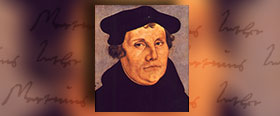
Martin Luther was eight years old when Christopher Columbus set sail from Europe and landed in the Western Hemisphere. Luther was a young monk and priest when Michaelangelo was painting the Sistine Chapel in Rome...
Full communion is when two denominations develop a relationship based on a common confessing of the Christian faith and a mutual recognition of Baptism and sharing of the Lord’s Supper...
Completion of the first call process completes candidacy for all people, including those ordained in another Lutheran church or Christian tradition, moving them toward first call and admittance to the appropriate roster in the ELCA.
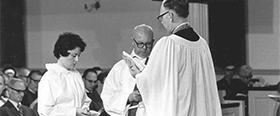
With gratitude for those who have gone before and hope for the future, the ELCA gives thanks to God for the ministry of women. In 2019 and 2020 we celebrate 50 years of Lutheran women being ordained in the United States, 40 years of women of color being ordained, and 10 years of LGBTQIA+ individuals being able to serve freely.
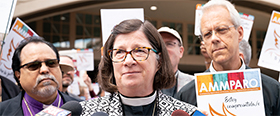
In its simplest form, becoming a sanctuary denomination means that the ELCA is publicly declaring that walking alongside immigrants and refugees is a matter of faith. In baptism, we are brought into a covenantal relationship with Jesus Christ that commits us to strive for justice and peace in all the earth.



 Facebook
 YouTube
 Instagram